QR to site (product selection)
This flow is also documented in In-person payments → Static QR → Merchant Redirect QR, which covers unmanned location scenarios where customers select products through your website.
Customer scans a static QR code posted on the vending machine, is redirected to your website where they select products and pay with Vipps MobilePay.
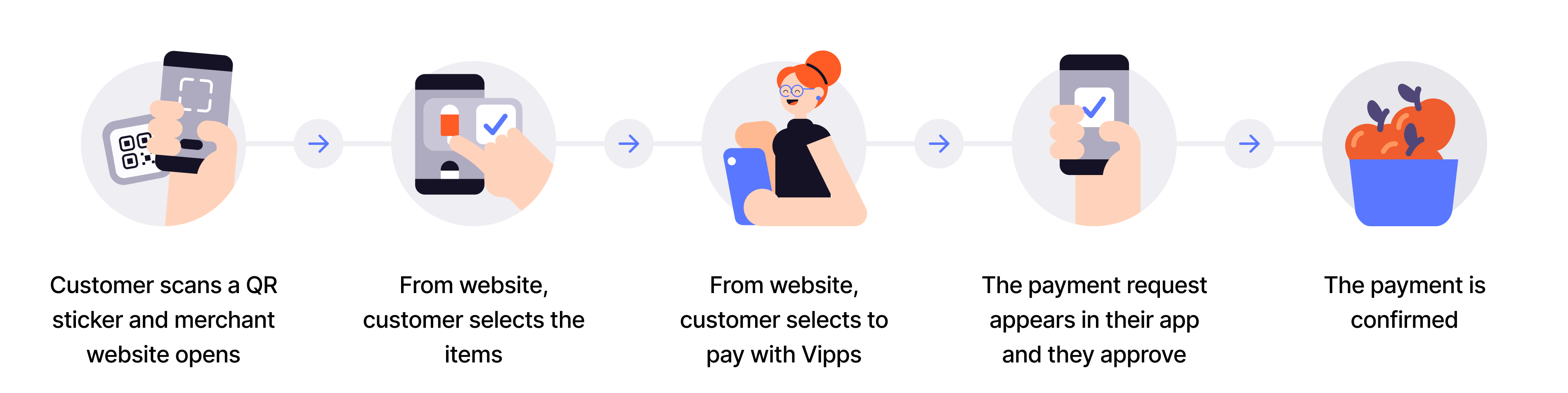
Flow diagram: 5-step QR-to-merchant-site product-selection process. (1) Customer scans a QR sticker and merchant website opens. (2) From the website, customer selects the items. (3) From the website, customer selects to pay with Vipps. (4) The payment appears in their app and they authorize it. (5) The payment is confirmed.
- Customer scans QR - Customer scans the merchant redirect QR code posted on the vending machine.
- Redirect to website - Customer lands on your website linked to that specific vending machine.
- Customer selects products - Customer browses and selects products through your web interface.
- Initiate payment - Create payment request with selected products using
userFlow: "WEB_REDIRECT". - Customer authorizes - Customer approves payment in their app.
- Capture payment - Confirm the transaction is complete.
This flow works when you don't have a customer-facing screen and want to offer product selection through your own web interface instead of the vending machine.
Per regulations, specify "customerInteraction": "CUSTOMER_PRESENT".
View sequence diagram
QR to site (product selection) and payment
- Customer selects products on the merchant site.
- Merchant adds the products to the sale.
- Customer selects to pay with Vipps MobilePay.
- Merchant initiates a payment request with order details via the ePayment API.
- ePayment API requests payment from the customer.
- Customer confirms the payment.
- Webhooks API sends the merchant a webhook with the payment authorization status.
- Merchant captures the payment via the ePayment API.
- ePayment API returns the status of the capture.
- Merchant verifies that the POS status matches the capture.
Technical details
- How the QR API works with merchant redirect - Visual walkthrough of the flow
- Merchant redirect QR code - Create static QR that redirects to your website