Brand guidelines
Our brand guidelines have all logos, buttons, and design rules for Vipps and MobilePay.
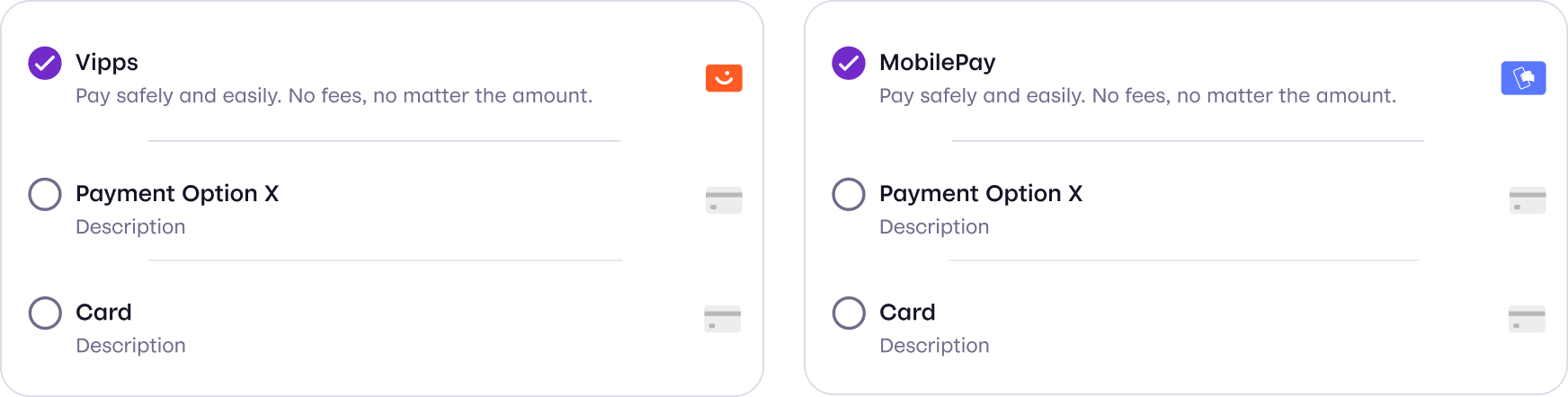
Show Vipps MobilePay in the online checkout
If you offer Vipps MobilePay as a payment method in an online checkout, these requirements apply. For example, when you use the ePayment API or one of the PSP APIs.
Following the terms and conditions for Vipps MobilePay Business Solutions:
- Make Vipps MobilePay just as visible and easy to access as other payment methods, including digital wallets and payment apps.
- Make Vipps MobilePay directly accessible, with no secondary menus or extra steps.
- Show Vipps MobilePay at the same level as comparable payment methods.
- Avoid consistently giving Vipps MobilePay a lower priority in the display or checkout flow.
- Present Vipps MobilePay in a way that keeps checkout fair, easy to understand and quick to use.
Where to find the buttons
Use the approved buttons, and keep the MobilePay logo until January 12, 2027.
These tools generate the buttons for you, and they update the MobilePay logo on January 12, 2027.
- Widget SDK (recommended for the payment APIs): Shows the button and initiates the payment or agreement for you.
- Button generator (recommended for Login API): Shows the button, and you start the flow. The buttons work with keyboard navigation and screen readers.
If you can't use JavaScript, you can download the approved buttons as a zip file from the Buttons section of the brand book.