How MobilePay Online works
Install AI tools
Give your assistant up-to-date guidance for our APIs, with our plugin or without it.
The plugin is still under development. See the AI tools page for details.
- Claude Code
- Cursor
- Codex
- Without installing
Run both commands, in order.
claude plugin marketplace add vippsas/agent-toolkit
claude plugin install vipps-developer@agent-toolkit
Open Settings, then Plugins.
Add vippsas/agent-toolkit as a plugin marketplace, then install the "vipps-developer" plugin.
For the app, add the marketplace "vippsas/agent-toolkit" and then install "vipps-developer". For the CLI, run the following commands.
codex plugin marketplace add vippsas/agent-toolkit
codex plugin add vipps-developer@agent-toolkit
Paste this into any assistant.
Read https://github.com/vippsas/agent-toolkit/blob/main/plugins/vipps-developer/README.md for Vipps MobilePay integration guidance.
For troubleshooting, see the full instructions.
This API doesn't have any set end of life yet, but is receiving critical maintenance only. Long term support for PSPs will be served by the ePayment API. No new integrations to this API will be approved.
This API is only available in the Danish and Finnish markets.
How payments in web shops or merchant websites work with MobilePay Online.
Details
1. Customer picks MobilePay at checkout
Make MobilePay available as a payment option in your webshop or app—easy and familiar for your customers!
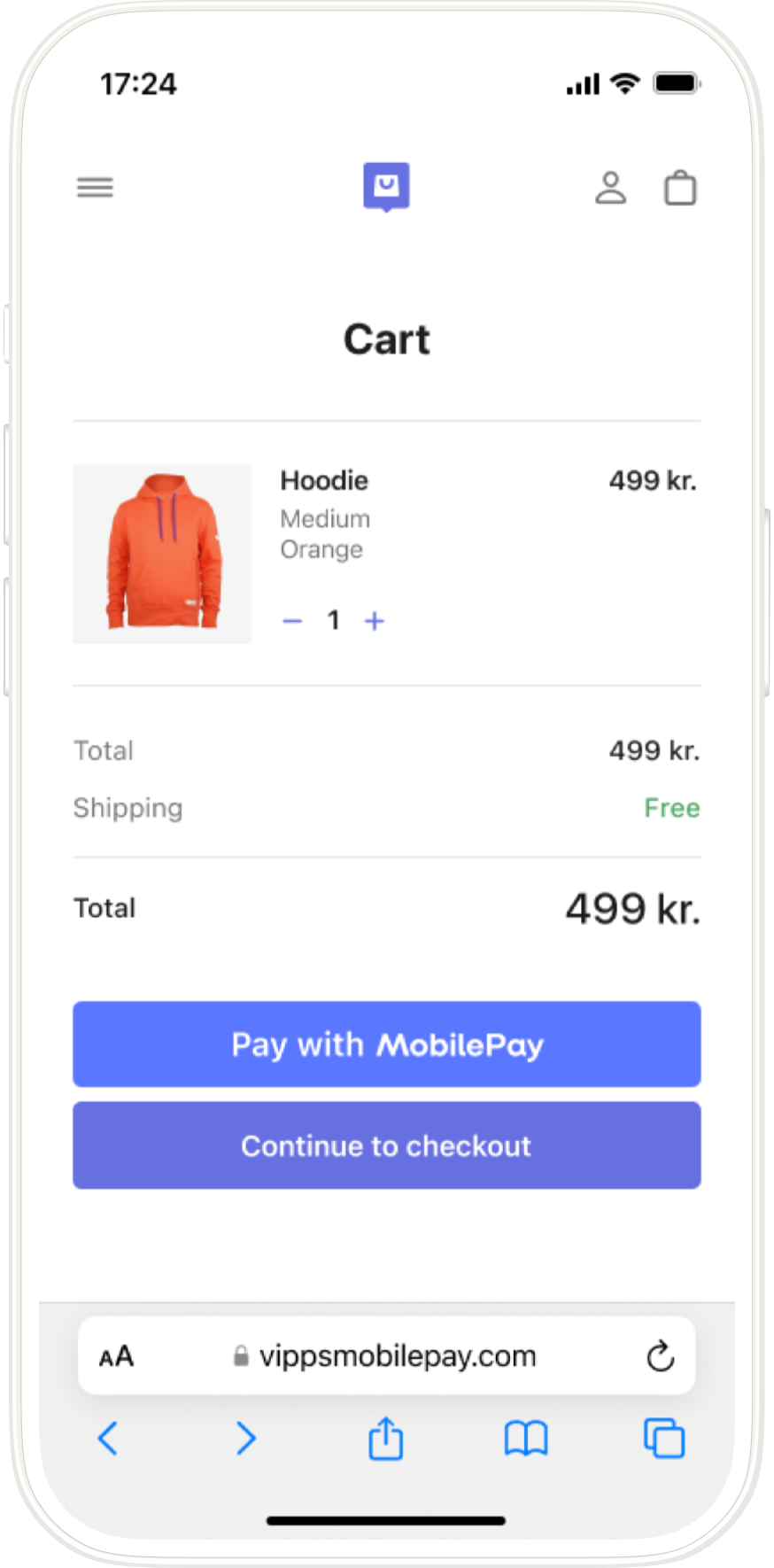
Screenshot: Mobile merchant cart page showing a product and a "Pay with MobilePay" button as payment option.
2. Customer enters phone number and logs in
When they tap MobilePay, initiate a payment by calling
POST:/api/v3/payments/.
- Mobile device: The MobilePay app opens automatically.
- Desktop: The landing page opens. The customer enters their phone number and hits Next to send the payment request to their app. A push notification appears on the customer's phone and the customer opens the MobilePay app.
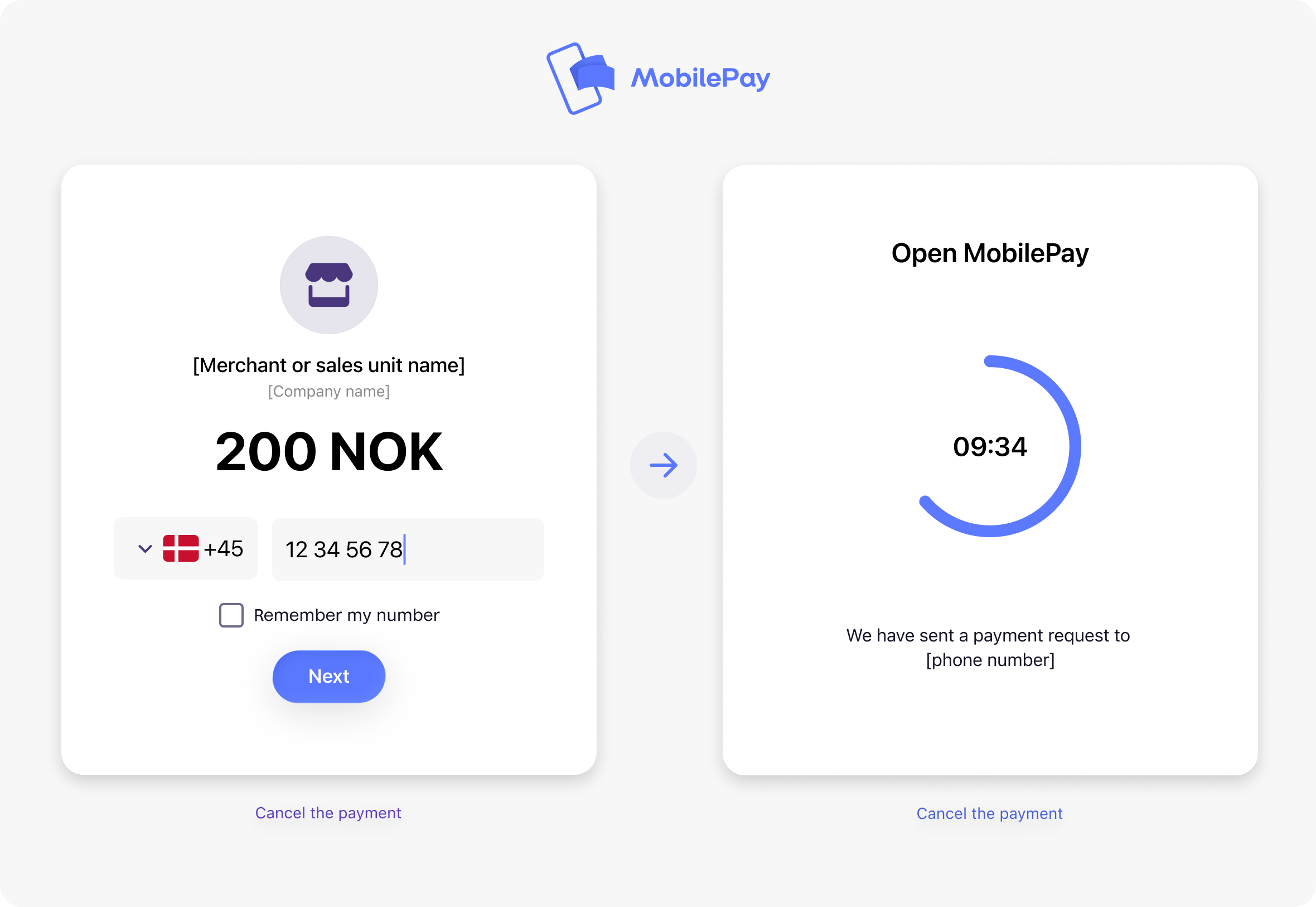
Screenshot: MobilePay landing page. Left panel: phone number entry for a payment with "Remember my number" checkbox. Right panel: waiting screen with "Open MobilePay" and a countdown timer.
3. Customer approves the payment in the app
The customer confirms the payment, and MobilePay Online reserves the payment and provides a confirmation.
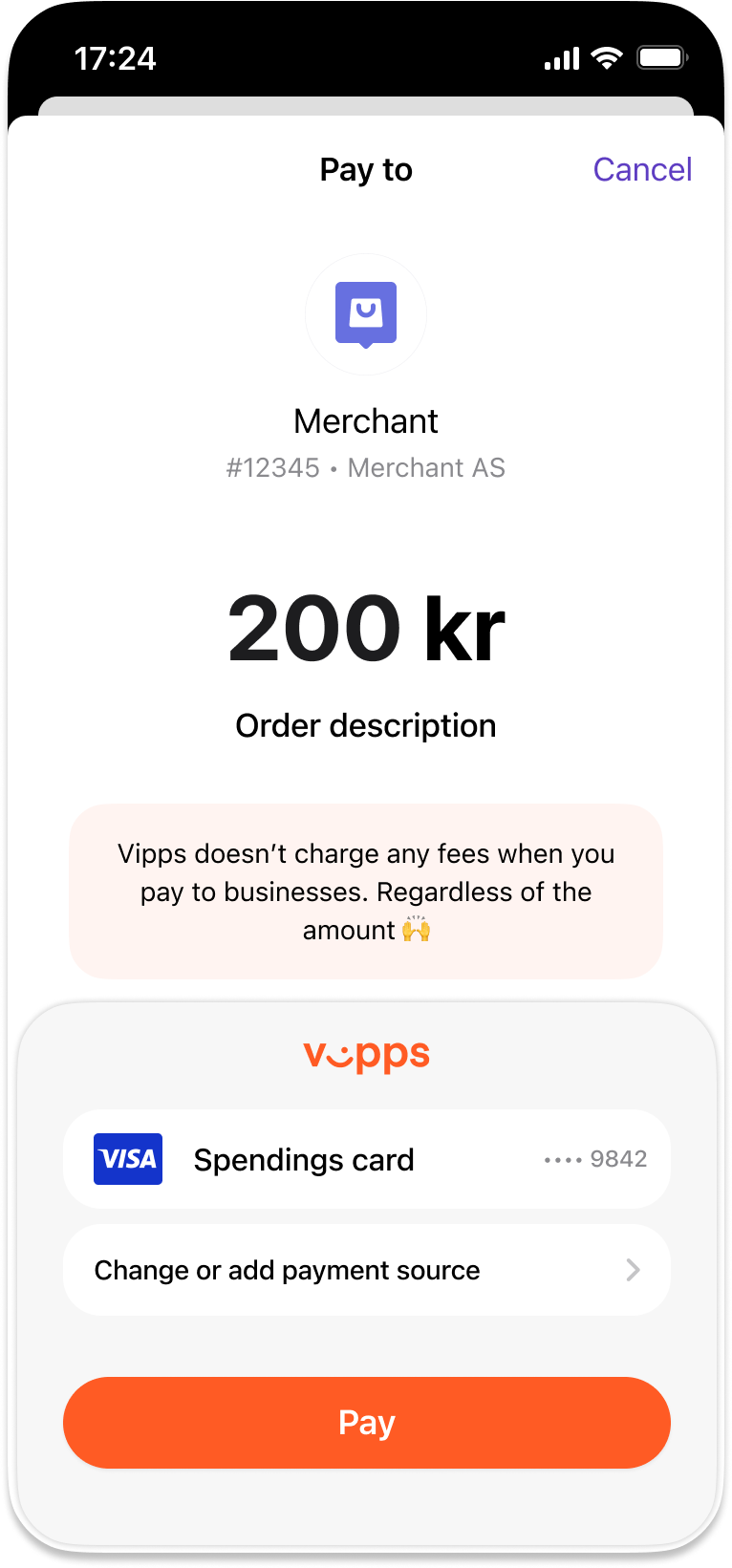
Screenshot: Vipps/MobilePay app payment screen showing the amount to pay to the merchant, with a Visa Spendings card and a Pay button.
4. Confirm the order
Once the payment is approved:
- Mobile device: The store page/app reopens, confirming a successful order.
- Desktop: The customer returns to the webshop, where the order confirmation is displayed.
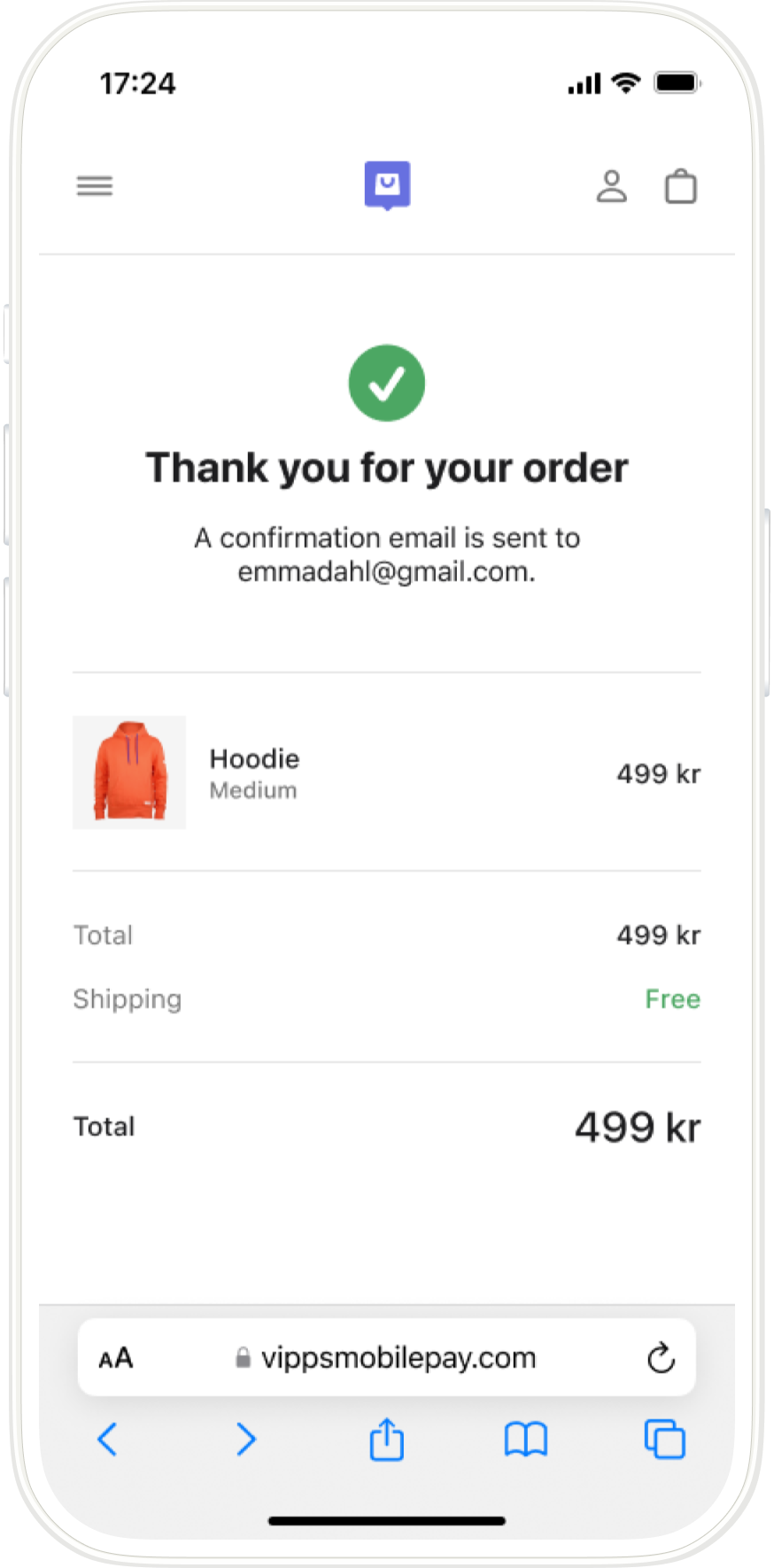
Screenshot: Merchant webshop order confirmation page showing "Thank you for your order" with a green checkmark. A confirmation email has been sent to the customer.
To check if the payment was authorized, poll using
GET:/psp/v3/psppayments/{pspTransactionId}/details.
See our polling guidelines for best practices.
5. Complete the order
The merchant completes and ships the order to the customer.
6. Capture the payment
Finish by capturing the payment through MobilePay Online.
Want more details?
For technical details, see the MobilePay Online guide.